# `@inquirer/password`
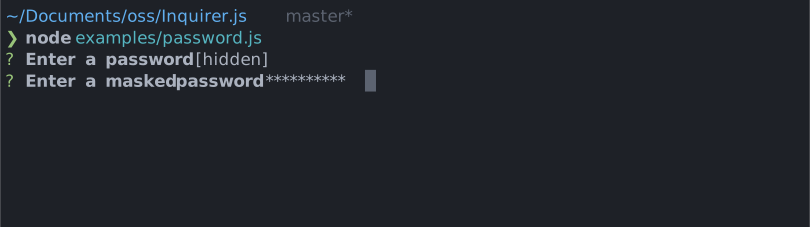
Interactive password input component for command line interfaces. Supports input validation and masked or transparent modes.
# Installation
npm
yarn
```sh
npm install @inquirer/prompts
```
```sh
yarn add @inquirer/prompts
```
Or
```sh
npm install @inquirer/password
```
```sh
yarn add @inquirer/password
```
# Usage
```js
import { password } from '@inquirer/prompts';
// Or
// import password from '@inquirer/password';
const answer = await password({ message: 'Enter your name' });
```
## Options
| Property | Type | Required | Description |
| ---------- | ----------------------------------------------------------- | -------- | ----------------------------------------------------------------------------------------------------------------------------------------------------------------------------------------------------------------------- |
| message | `string` | yes | The question to ask |
| mask | `boolean \| string` | no | Show a `*` mask over the input, use a custom mask character, or keep it transparent. |
| toggleMask | `boolean` | no | Allow the user to press `ctrl+t` to temporarily reveal the typed value. Defaults to `true`; set to `false` to disable both the shortcut and its help line. |
| validate | `string => boolean \| string \| Promise` | no | On submit, validate the filtered answered content. When returning a string, it'll be used as the error message displayed to the user. Note: returning a rejected promise, we'll assume a code error happened and crash. |
| theme | [See Theming](#Theming) | no | Customize look of the prompt. |
## Theming
You can theme a prompt by passing a `theme` object option. The theme object only need to includes the keys you wish to modify, we'll fallback on the defaults for the rest.
```ts
type Theme = {
prefix: string | { idle: string; done: string };
spinner: {
interval: number;
frames: string[];
};
style: {
answer: (text: string) => string;
message: (text: string, status: 'idle' | 'done' | 'loading') => string;
error: (text: string) => string;
help: (text: string) => string;
maskedText: string;
keysHelpTip: (keys: [key: string, action: string][]) => string | undefined;
};
};
```
`maskedText` is the inline tip shown when `mask` is off and the value is hidden (default: `[input is masked]`).
### `theme.style.keysHelpTip`
This function customizes the keyboard shortcut help displayed on the line below the prompt. It receives `[['ctrl+t', 'toggle visibility']]` while the value is hidden. Use it to change the formatting or localize the action, or return `undefined` to hide the help line entirely.
```js
theme: {
style: {
keysHelpTip: (keys) =>
keys.map(([key, action]) => `${key}: ${action}`).join(' | '),
},
}
```
# License
Copyright (c) 2023 Simon Boudrias (twitter: [@vaxilart](https://twitter.com/Vaxilart))
Licensed under the MIT license.